
Give your team the leads, not your passwords.
Add the people who help run your business in Harbor › Settings › Your team. Each one gets their own login and sees only what their job needs.

Your guide here: Marina from Onboarding (AI), AI onboarding guide. Part of Discovery Harbor.


JordanA made-up roofer, for this story
My office manager has been signing in as me for years.
Marina from Onboarding (AI)AI onboarding guide
Give him his own login. He sees leads, bookings and the website. Connections and billing stay with you.
Shared passwords are how businesses get locked out.
When everyone signs in as the owner, nobody knows who changed what, and one departure can lock you out. Separate logins fix both.
Marina from Onboarding (AI)AI onboarding guide
A teammate works your leads, bookings and website. A co-owner can do everything you can.
JordanA made-up roofer, for this story
And if someone leaves?
Marina from Onboarding (AI)AI onboarding guide
Remove them in one tap. Every lead, booking and note they worked on stays.
How it works in Harbor
Owners add people. Each person sets their own password.
Open Settings › Your team.
You see who has a login, who has an invite out and who you removed.
Harbor › Settings › Your team
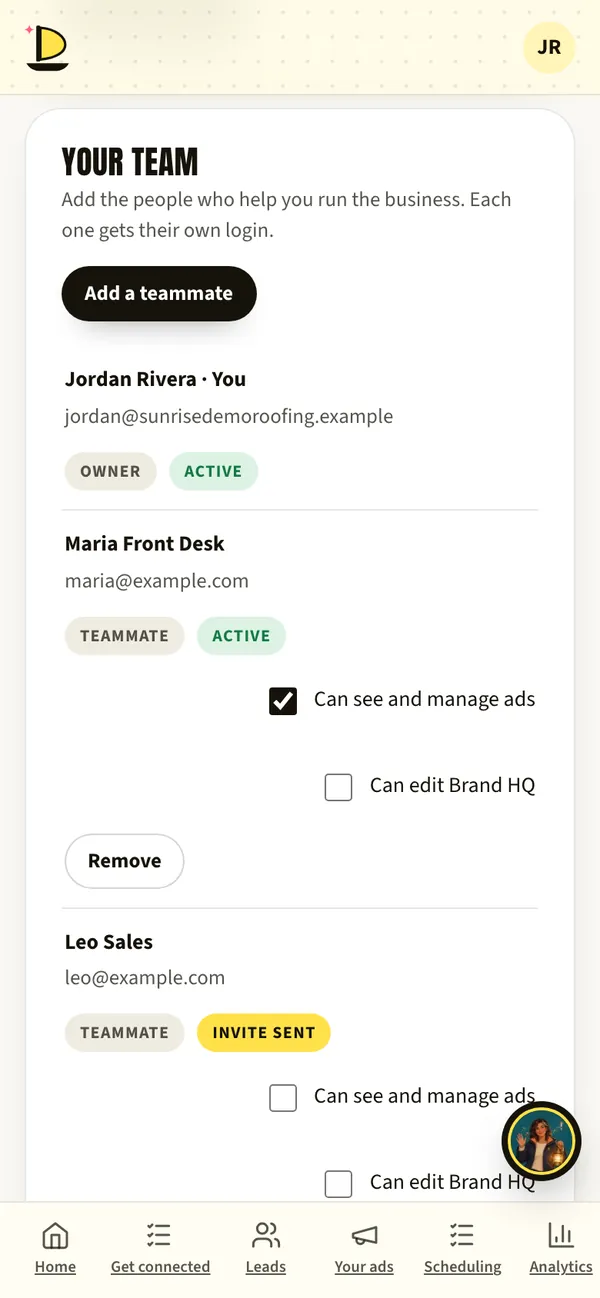
Harbor › Settings · sample data Add a teammate.
Type their name and email, then choose Teammate or Co-owner.
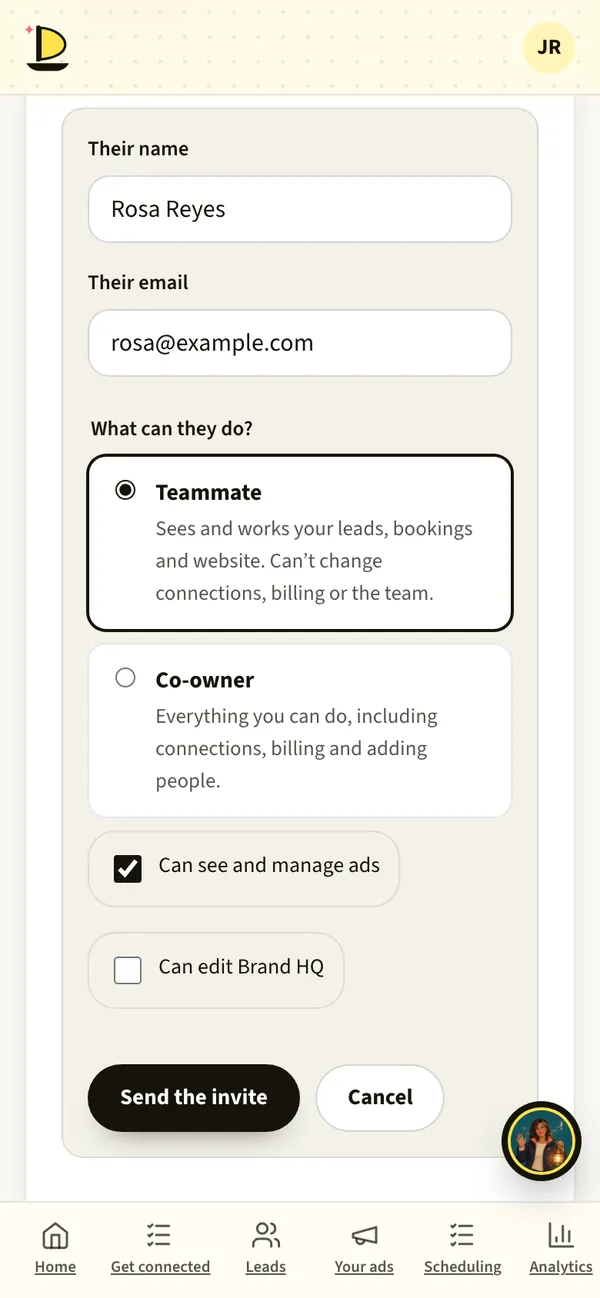
Harbor · sample data Tick extras only if they need them.
A teammate can also see and manage ads, or edit Brand HQ, your logos and brand guide.
They choose their own password.
Harbor emails them an invite. You never share yours.
Change it any time.
Resend an invite, remove someone, or give access back later.
What to have ready
- Each person’s name and emailOne login per person.
- What each person handlesLeads and bookings, ads, or everything.
What’s live today
- LiveTeammates and co-ownersEach with their own login.
- LiveExtras for ads and Brand HQPer teammate.
Fair questions.
What can’t a teammate do?
Change connections, billing or the team. Those stay with owners and co-owners.
Can Discovery Marketing see my account?
The people working on your account can, so they can set up and run your ads. They never ask for your password.

Andy BedellFounder, Discovery Marketing
Your office manager shouldn’t need your password to call a lead back.
Book a call with AndyNext on the voyage.
Or start at the beginning: how a launch works, step by step.



Book a call with Andy. Free, 30 minutes.
Bring your questions and your website. Andy will show you Harbor on his phone, tell you honestly whether ads make sense for your business, and give you a date for every step.
Calendar not loading? Open Andy’s calendar in a new tab.
Jordan and her roofing company are made up for this page. App screens come from Harbor’s demo with sample data. The painted scenes and films are made with AI, and every AI helper is labelled (AI). Helpers suggest; people decide.