
Every lead in one place, with the ad that sent it.
Every form and every booking lands in Harbor’s Leads, and Harbor counts each tap on your phone number. Each lead shows where it came from, so you can call back first and see which ads are worth the money.

Your guide here: Bennett from Success (AI), AI customer success lead. Part of Discovery Harbor.


JordanA made-up roofer, for this story
I used to find leads in my voicemail three days late.
Bennett from Success (AI)AI customer success lead
Now Harbor tells you when one comes in, and shows you the ad that sent it.
The most expensive lead is the one you already paid for.
When leads hide in an inbox, a voicemail and a spreadsheet, the slowest one to answer loses. And without the ad behind each lead, nobody can say which money worked.

JordanA made-up roofer, for this story
On a roof, I can’t answer. By the time I call back, they’ve hired someone else.
Bennett from Success (AI)AI customer success lead
That’s why every lead lands in one list, with the time it came in and what they asked for.
Read the transcript
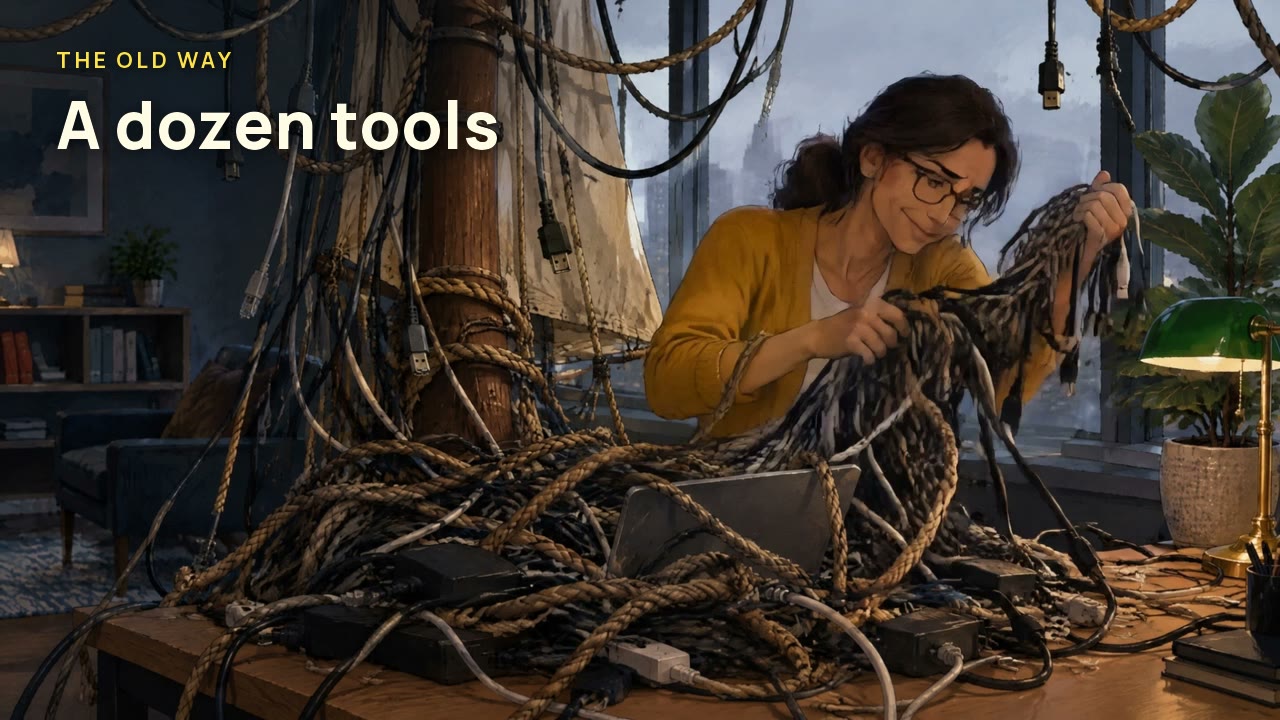
Meet Jess. Her marketing runs on a dozen tools, tangled like old rigging. Each one has its own password. Most of them live on sticky notes. Which ad worked? Three reports, three answers, one very long meeting. I'm Marina, Discovery's AI onboarding guide. In Harbor, everything docks in one calm port. Ads, social, payments, calendar, CRM, email: one dock, no sticky notes. Now every lead sails in flying a little flag: the ad that sent it. So your budget can follow what actually works. Every lead remembers the ad that brought it.
How leads work in Harbor
Nothing to install on your phone. Harbor runs in your phone’s browser today.
A lead comes in.
Someone fills in your form or books a time. Harbor saves it with their answers and sends you an alert.
Harbor › Leads
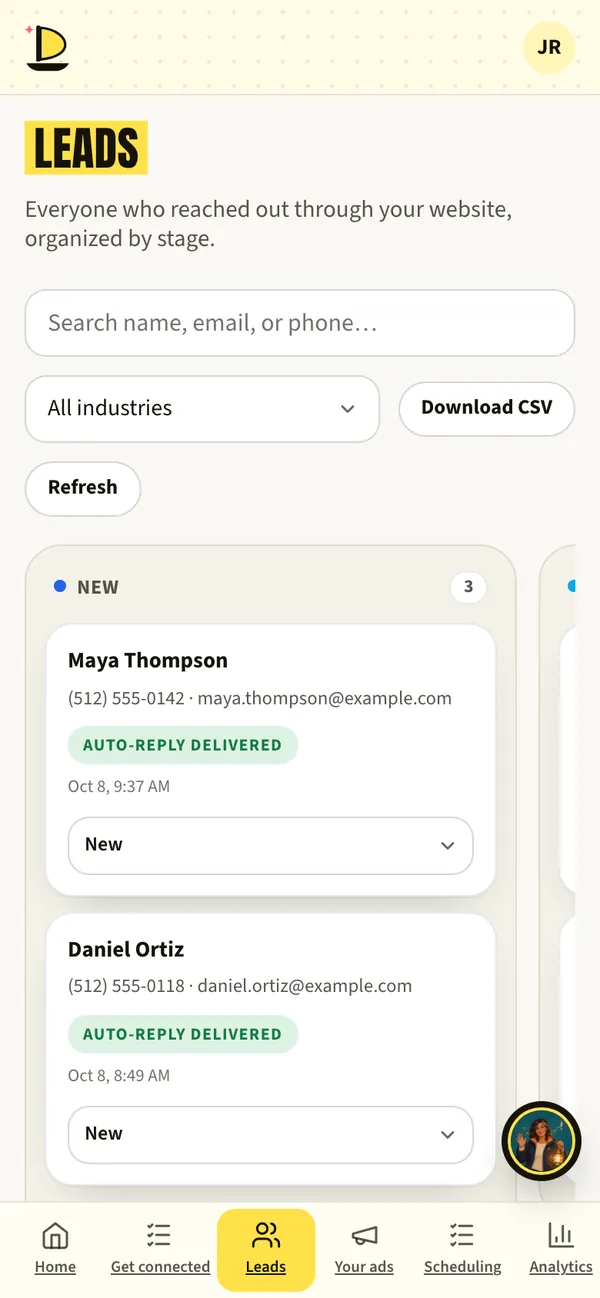
Harbor › Leads · sample data See where it came from.
Each lead keeps the ad, search or post that brought it, so your budget can follow what works.
Call or text from the lead.
Tap to call or text from your phone. Notes and status stay with the lead for your whole team.
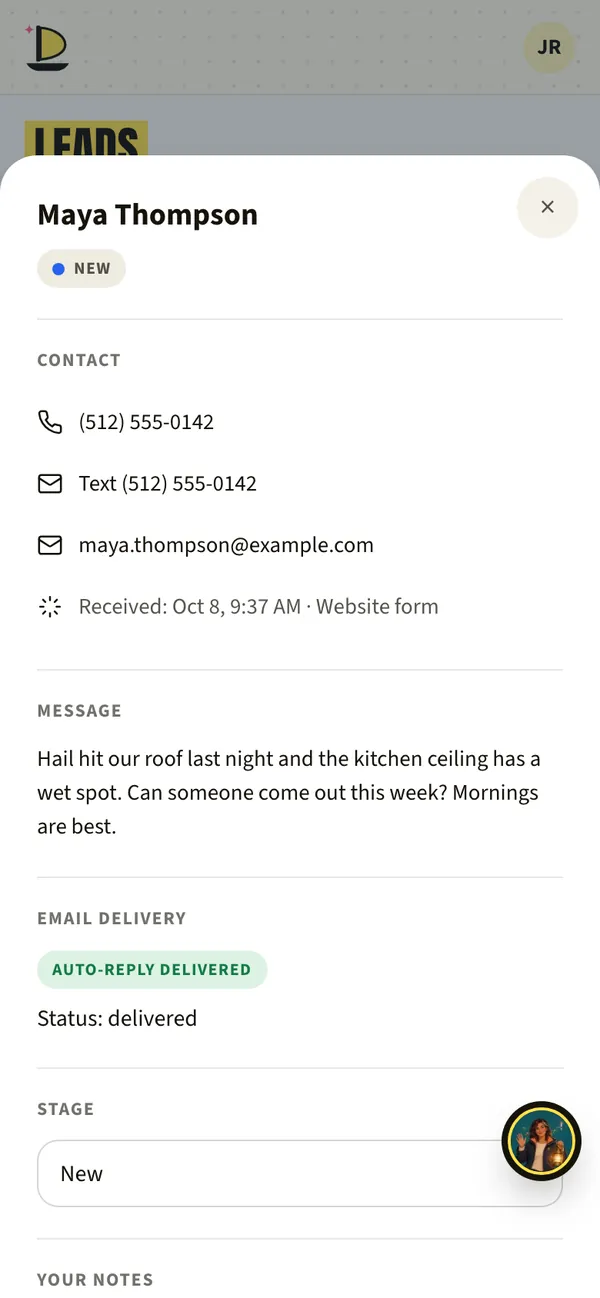
Harbor · sample data Work them with your team.
Add your office manager in Settings › Your team. They see the same leads with their own login, not your password.
How your team gets accessAlready use a CRM?
If your team already works in a CRM, we’re adding a connection so leads flow there too. It’s coming soon. Until then, Harbor’s own CRM is included free.
What to have ready
- Where alerts should goThe email (and phone) that should hear about new leads.
- Who should see leadsA name and email for each person.
- Your CRM’s name, if you use oneSo we can plan the connection.
What’s live today
- LiveLeads, notes, call and textIncluded free.
- LiveWhere each lead came fromKept with every lead that arrives from a tracked ad or link.
- Coming soonSend leads into your existing CRMComing soon.
- Waiting on reviewThe Harbor iPhone appIn Apple’s review. Harbor works in your phone’s browser today.
Fair questions.
Do I have to use Harbor’s CRM?
No. It’s there, free, if you need one. If your team lives in another CRM, we’ll connect it when that connection is ready, and you keep working where you work.
Who sees my leads?
You, the teammates you add, and the Discovery Marketing people working on your account. We never sell your data and never show you ads.
Safety + privacy
Andy BedellFounder, Discovery Marketing
The lead you already paid for is the one you can’t afford to miss.
Harbor makes sure you see it while it’s still warm.
Book a call with AndyNext on the voyage.
Or start at the beginning: how a launch works, step by step.



Book a call with Andy. Free, 30 minutes.
Bring your questions and your website. Andy will show you Harbor on his phone, tell you honestly whether ads make sense for your business, and give you a date for every step.
Calendar not loading? Open Andy’s calendar in a new tab.
Jordan and her roofing company are made up for this page. App screens come from Harbor’s demo with sample data. The painted scenes and films are made with AI, and every AI helper is labelled (AI). Helpers suggest; people decide.