
Know which ads bring the people who call, book and buy.
Google Analytics and Google Tag Manager measure every visit and every lead on your website. Harbor sets them up in your own Google account, so you can tell the ads that bring customers from the ones that only bring clicks.

Your guide here: Marina from Onboarding (AI), AI onboarding guide. Part of Discovery Harbor.


JordanA made-up roofer, for this story
Somebody told me my ads “got a lot of clicks.” Clicks don’t fix roofs.
Marina from Onboarding (AI)AI onboarding guide
Agreed. We count calls, bookings and sales. Clicks are just the road in.
You can’t grow what you can’t measure.
Without tracking, every report tells a different story and the budget follows whoever argues loudest. With it, the budget follows the customers.

JordanA made-up roofer, for this story
Three reports gave me three different answers.
Marina from Onboarding (AI)AI onboarding guide
That happens when nothing is measured the same way. One setup, in your account, fixes it.


Bennett from Success (AI)AI customer success lead
You can’t scale what you can’t measure. One container on your site holds every tag, so nothing gets missed.
JordanA made-up roofer, for this story
And I don’t have to touch the code?
Bennett from Success (AI)AI customer success lead
You sign in and approve. We do the setup.
How it works in Harbor
About as long as a coffee. You approve; we do the setup.
Sign in with Google.
In Harbor › Get connected, tap Connect with Google and use the Google account for your business. Google’s own screen shows what Harbor can do before you say yes.
Harbor › Get connected › See who visits your website
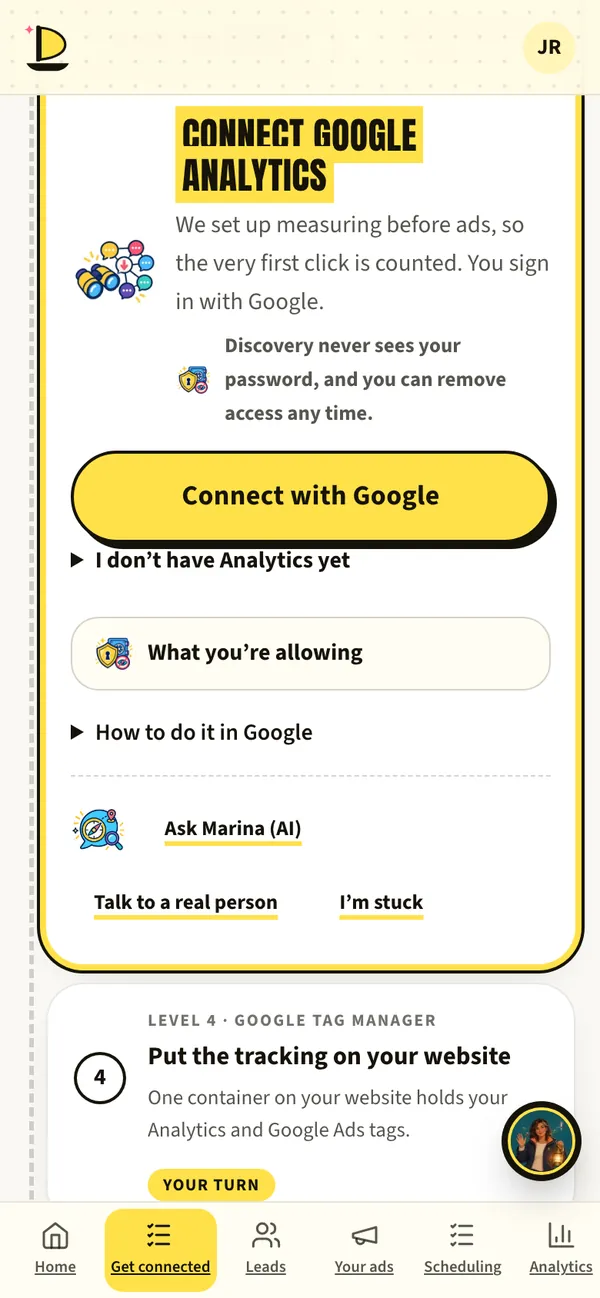
Harbor › Get connected · sample data Pick your Analytics property.
Already have Google Analytics? Choose it. Starting fresh? Harbor can create it for you.
Put the tracking on your website.
One Tag Manager container holds your Analytics and Google Ads tags. On a site we build, it’s already in. On your own site, it comes in with the one line you added.
Harbor › Get connected › Put the tracking on your website
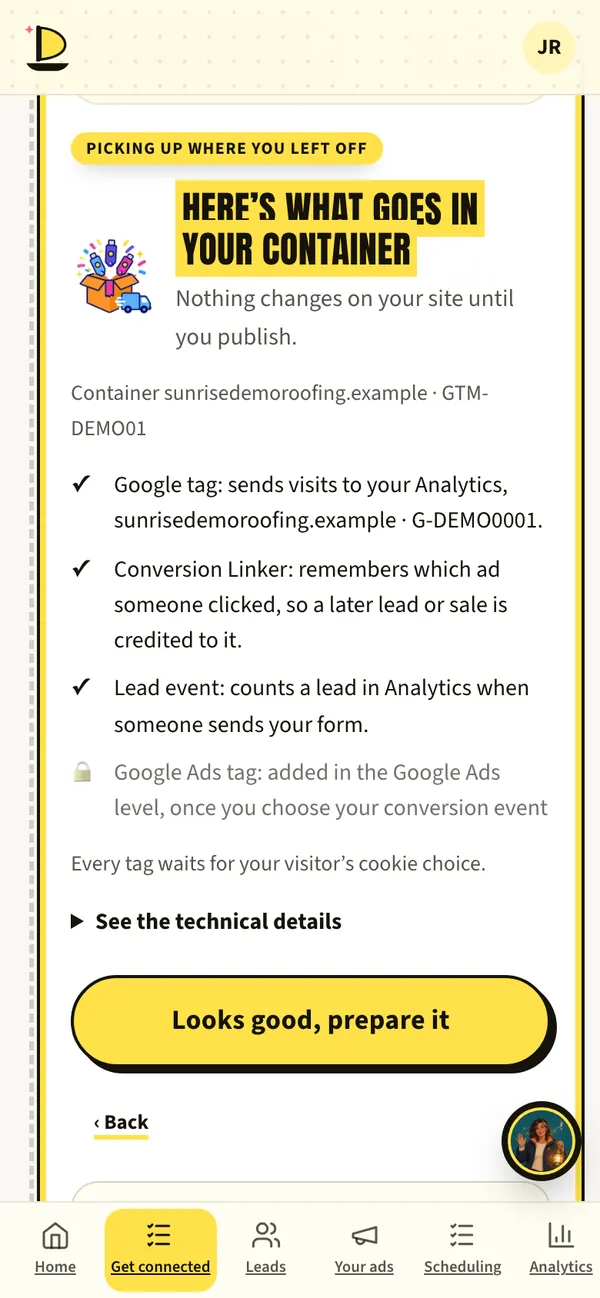
Harbor › Get connected · sample data See it in Harbor.
Visitors, page views, phone taps and leads show up on Home and in Analytics, in plain words.
Harbor › Analytics
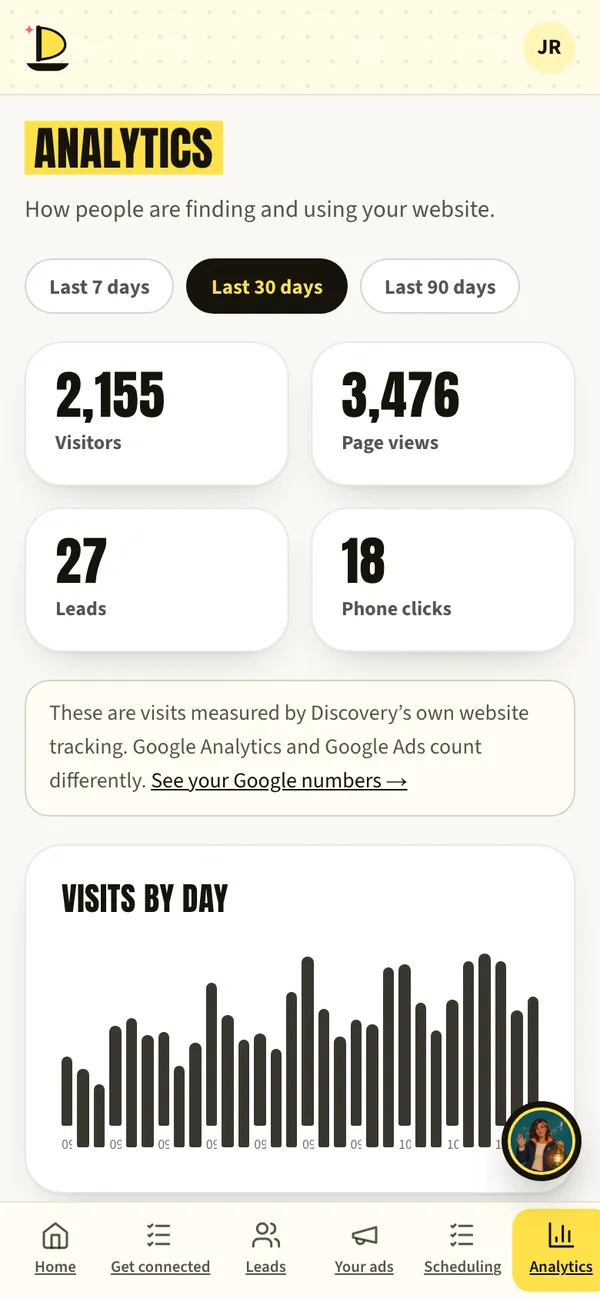
Harbor › Analytics · sample data Tell Google what counts.
Choose the event that matters, a lead, a booking or a sale, so Google Ads learns from customers instead of clicks.
Google Ads, explained
What to have ready
- The Google account for your businessA Gmail or Google Workspace login you control.
- Admin access to Google AnalyticsOnly if you already have it. If not, Harbor can create it.
- Your website login or developerOnly if you keep your own site, for the one line.
What’s live today
- LiveConnect Analytics and Tag ManagerIn your own Google account.
- Waiting on reviewGoogle’s review of HarborWhile Google reviews Harbor, its sign-in may show “Google hasn’t verified this app.” Tap Advanced, then Go to discoverymarketing.io. It’s the same secure sign-in, and you can disconnect any time.
Fair questions.
Is this my account or yours?
Yours. Analytics and Tag Manager live in your Google account. Harbor gets only the access you approve on Google’s screen, and you can take it back any time.
What does Harbor do with my Google data?
Only what you approve, under Google’s Limited Use rules. We never sell it and never use it for advertising.
Our privacy page
Andy BedellFounder, Discovery Marketing
If we can’t measure it, we can’t honestly tell you to spend more on it.
So this gets set up first, in your account.
Book a call with AndyNext on the voyage.
Or start at the beginning: how a launch works, step by step.



Book a call with Andy. Free, 30 minutes.
Bring your questions and your website. Andy will show you Harbor on his phone, tell you honestly whether ads make sense for your business, and give you a date for every step.
Calendar not loading? Open Andy’s calendar in a new tab.
Jordan and her roofing company are made up for this page. App screens come from Harbor’s demo with sample data. The painted scenes and films are made with AI, and every AI helper is labelled (AI). Helpers suggest; people decide.